
Scott International Procedures
April 1, 2026
4.3+
Warning: The Scott Plot ETP tool is not a substitute for ETPs included in a crew's operational flight plan. Manual or app-generated ETPs compute time only and do not account for specific aircraft performance (e.g., drift down, depressurization, fuel burn, or descent profiles). This tool should be used only when flight plan-derived, computer-generated ETPs with full performance data are unavailable or no longer applicable to the route. It is the user's responsibility to ensure all necessary parameters are considered when performing any manual or app-based ETP calculations.
The app can auto-calculate ETPs after wind and true airspeed information is entered:
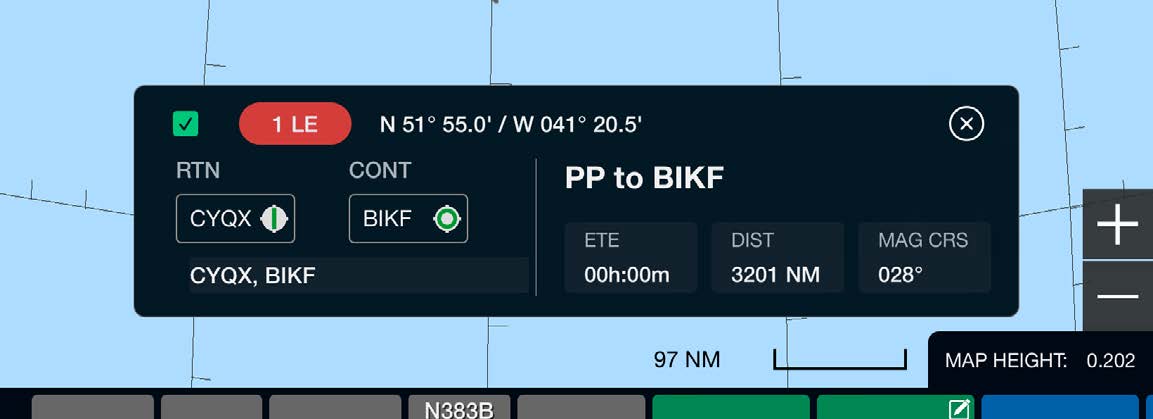
After an Equal Time Point has been built and posted on the chart, tap it on the chart to display information relevant to the ETP. Tapping either the Return or Continue airport from this view will bring up the airport weather conditions. You can remove the checkmark from the checkbox to remove the ETP from the chart; to add it back, go to Red Toolbox > ETPs > By Lat/Long From FLT PLN and check the box beside the desired ETP.
Note: Tapping an ETP on the chart shows ETE, DIST, and MAG CRS. These values are estimates for situational awareness only and are continuously updated based on the aircraft's great circle distance and current ground speed. If no GPS signal is available, ETE, DIST, and MAG CRS will show unavailable.

Scott International Procedures, LLC.
Colorado, USA


© 2026 Scott International Procedures, LLC. All rights reserved.
Because safety is in the details™