
Scott International Procedures
April 1, 2026
4.3+
Sync the two plotting-chart iPads at the aircraft as follows.

The pilot and iPad previously decided to be in the Primary role — the one that has loaded all of the flight data in the Preflight Wizard:
The pilot and iPad that did not load the trip data:
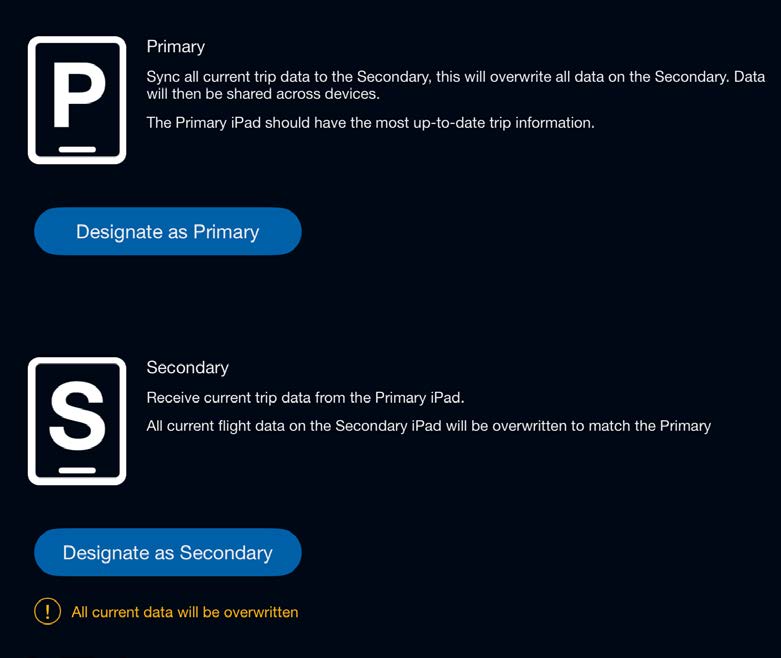
Or, from the Scott Plot® chart screen, tap the Sync icon and designate as Secondary.
On both iPads, verify the available device is the one you wish to sync with, then tap Connect. On the Primary iPad, tap Connect next to the Secondary device. The Primary and Secondary iPads are now synced.
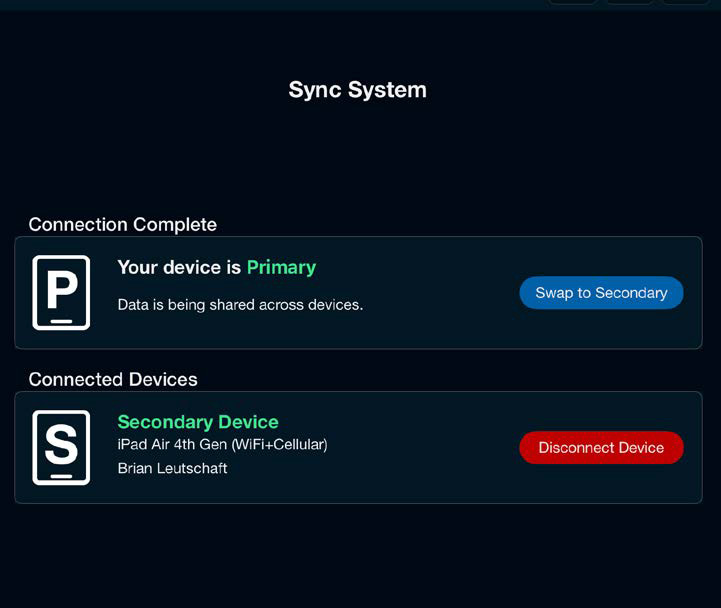
Note: Both iPads must have a role selected and search for available devices for an iPad to show as a sync connection option. Available-device searching will time out after 20 seconds.
Connect the Primary and Secondary iPads independently to the onboard GPS source: tap the green satellite icon and follow the steps in the GPS & Connectivity category.

Scott International Procedures, LLC.
Colorado, USA


© 2026 Scott International Procedures, LLC. All rights reserved.
Because safety is in the details™