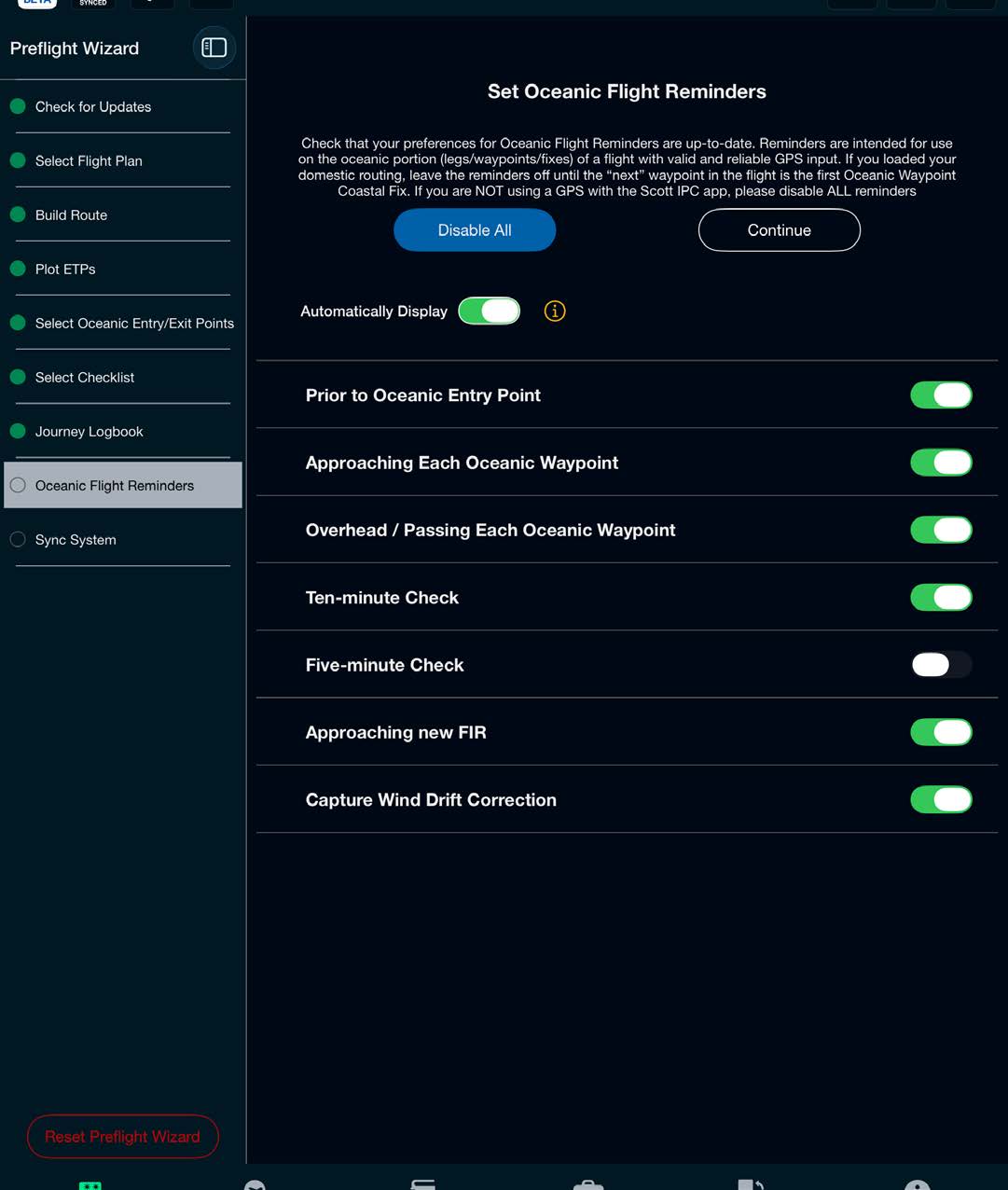
Enable or disable reminders and select Finish to complete the Preflight Wizard.
Reminders Display Options
There are two reminders display options available in the Preflight Wizard:
- Automatically Display ON — automatically displays the appropriate oceanic reminder on the main display. This is the default setting.
- Automatically Display OFF — provides an audio tone AND a visual indication on the reminders button when a reminder is ready for review.
Reminder Descriptions and Times
- Prior to Oceanic Entry Point — reminder 15 minutes prior to passing the Oceanic Entry Point to check the oceanic checklist
- Approaching Each Oceanic Waypoint — reminder 2 minutes prior to passing a waypoint
- Overhead / Passing Each Oceanic Waypoint — reminder immediately after passing a waypoint
- Ten-minute Check — reminder 9 minutes and 45 seconds after passing a waypoint to conduct a ten-minute check
- Five-minute Check — reminder 4 minutes 45 seconds after passing a waypoint to conduct a five-minute check
- Approaching New FIR — reminder 13 minutes prior to passing into a new FIR boundary
- Capture Wind Drift Correction — reminder halfway between waypoints to enter wind drift correction