Scott International Procedures
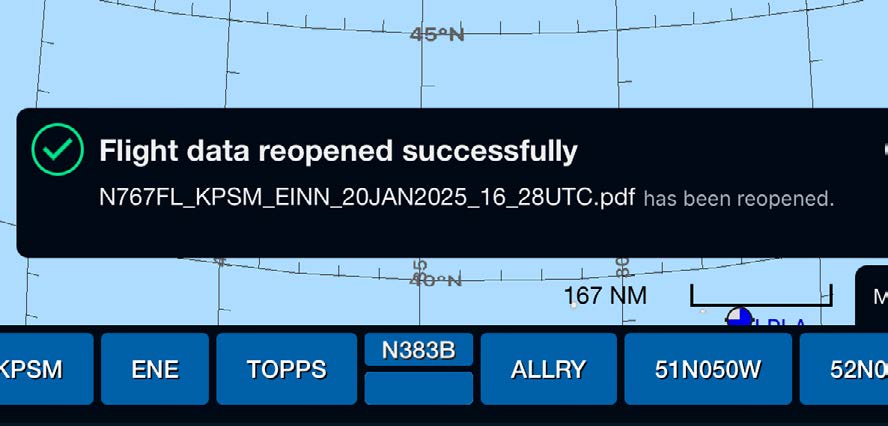
Scott Plot® Sync functionality includes the capability to restore trip data to a previous point during a flight. Should the most current flight data be overwritten inadvertently during the syncing process, the pilots can revert back to how their data was before syncing.
The Primary and Secondary iPads constantly share data during a synced flight to ensure both iPads have the same information. The sync functionality is designed so that the Primary role is the main data source during a flight. During the initial sync connection and subsequent reconnections, the Primary will send over a complete inventory of data to the Secondary to ensure both iPads have the same information; therefore, it is essential to ensure that the iPad designated with the Primary role is the iPad with the most current flight data before a sync connection is made or re-established.
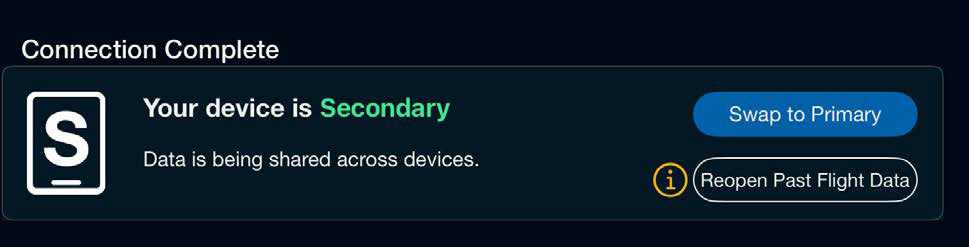
Pilot A is a relief pilot coming into the cockpit without plotting data on their iPad, and the crew's desire is for him/her to be the Primary iPad. Pilot B has the most current flight data and will remain in the cockpit to sync with Pilot A.
During the syncing process, Pilot A chooses the role of Primary while Pilot B selects Secondary. This scenario will overwrite Pilot B's up-to-date logbook with Pilot A's nonexistent data, thus losing all data Pilot B had accumulated up to that point in the flight.

These solution steps will work for any scenario where up-to-date flight data is overwritten during the syncing process. To restore data lost on an iPad that was mistakenly designated with the Secondary role:
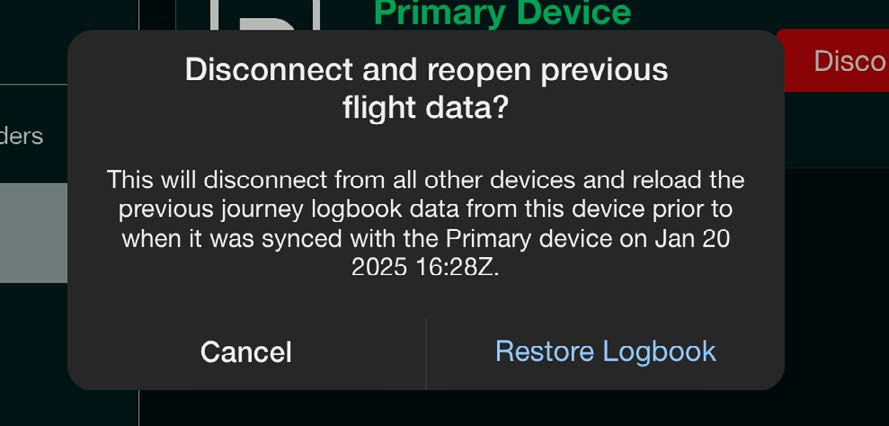
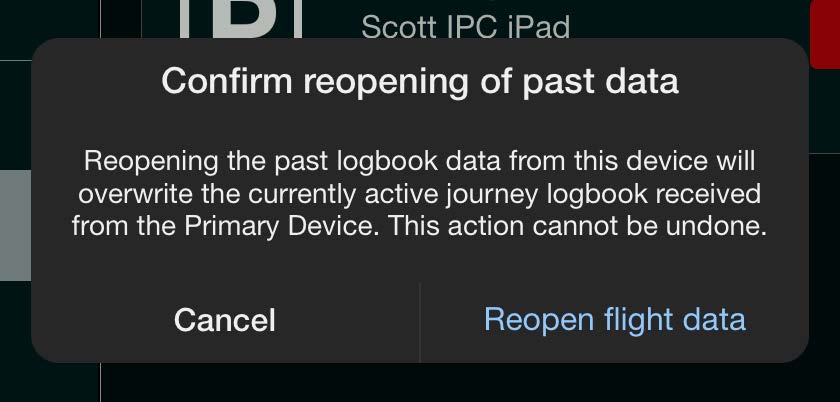
Note: Primary role data always overwrites Secondary role data upon initiating a sync connection; ensure the iPad with the selected Primary role is the device with the most up-to-date information.