
Scott International Procedures
April 1, 2026
4.3+
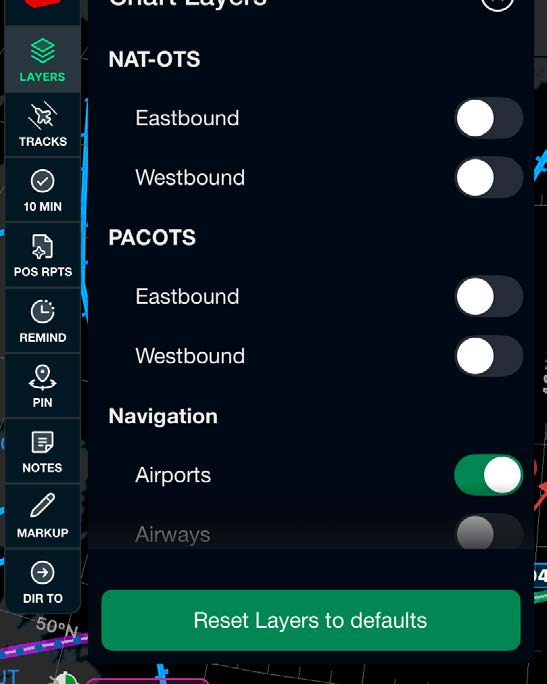
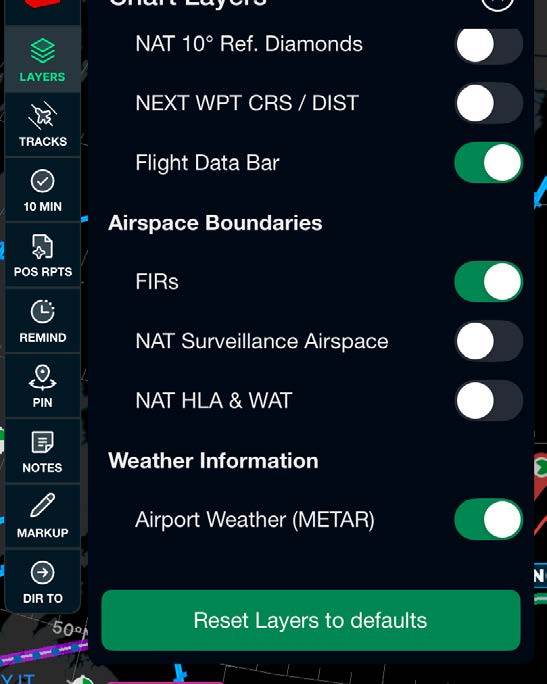
The chart layers tab can be found at the top left of the Scott Plot® chart screen. From the layers tab, you have the ability to enable or disable the available chart layers.
To reset all chart layers, select the Reset layers to defaults button at the bottom of the layers menu.
Note: If layers are not displaying on the chart when turned on, ensure that ARINC Nav Data has been downloaded or is up to date.

Scott International Procedures, LLC.
Colorado, USA


© 2026 Scott International Procedures, LLC. All rights reserved.
Because safety is in the details™