
Scott International Procedures
The Scott Plot® Sync System currently allows a maximum of two iPads to be connected simultaneously for sharing plotting information during a flight. One of the iPads is designated as the Primary by the crew, responsible for oceanic plotting. The data entered on the Primary iPad is shared in real time with the Secondary iPad, which the other crew member operates. Both crew members can perform oceanic plotting tasks, and the Sync System automatically synchronizes the plotting information between the connected iPads. For longer trips with additional crew members, the pilots can switch between the Primary role or swap roles between devices to facilitate crew rotation.
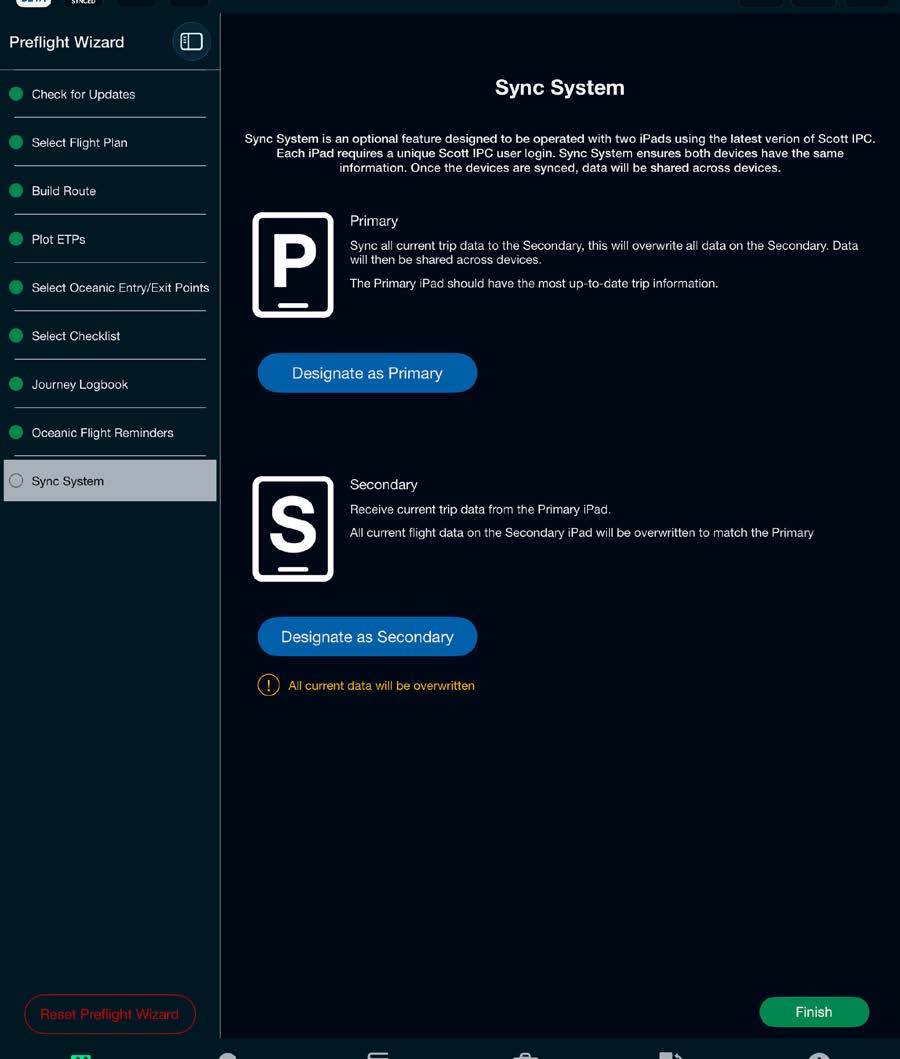
The crewmember who has loaded the flight documents onto their iPad and completed the Preflight Wizard steps should select the Primary role to send over all trip information to the other crewmember, who sets Secondary as their role. In case of an inadvertent overwrite of Secondary data, see the restore functionality on the Sync System controller.
Note: The information from the Primary role will always overwrite any information on the Secondary role iPad upon initial sync connection or reconnections.
For full crew workflows, device settings, and troubleshooting, see the Sync System category of this Help Center.



