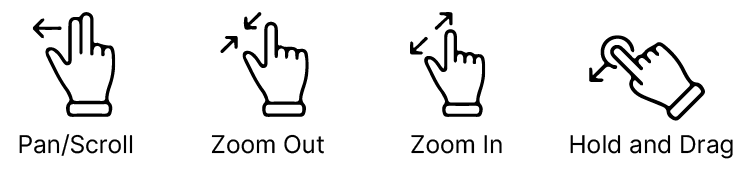
Use the following gestures to manipulate the chart or documents in Scott Plot®:
To zoom in/out on the map or a document page, use a two-finger spread (out) or pinch (in) gesture.
To pan the map or a document page, use a one or two-finger dragging motion.
With annotations on and in Stylus mode, the map or document can be moved with a finger. In Hand mode, the map or document can be moved by selecting the hand tool icon.
To rubber-band a route, tap and hold on the route line, and you will be able to drag and drop the route line to a desired waypoint or location.
To learn more about items of interest on the chart, a single tap will display more details.