Scott International Procedures
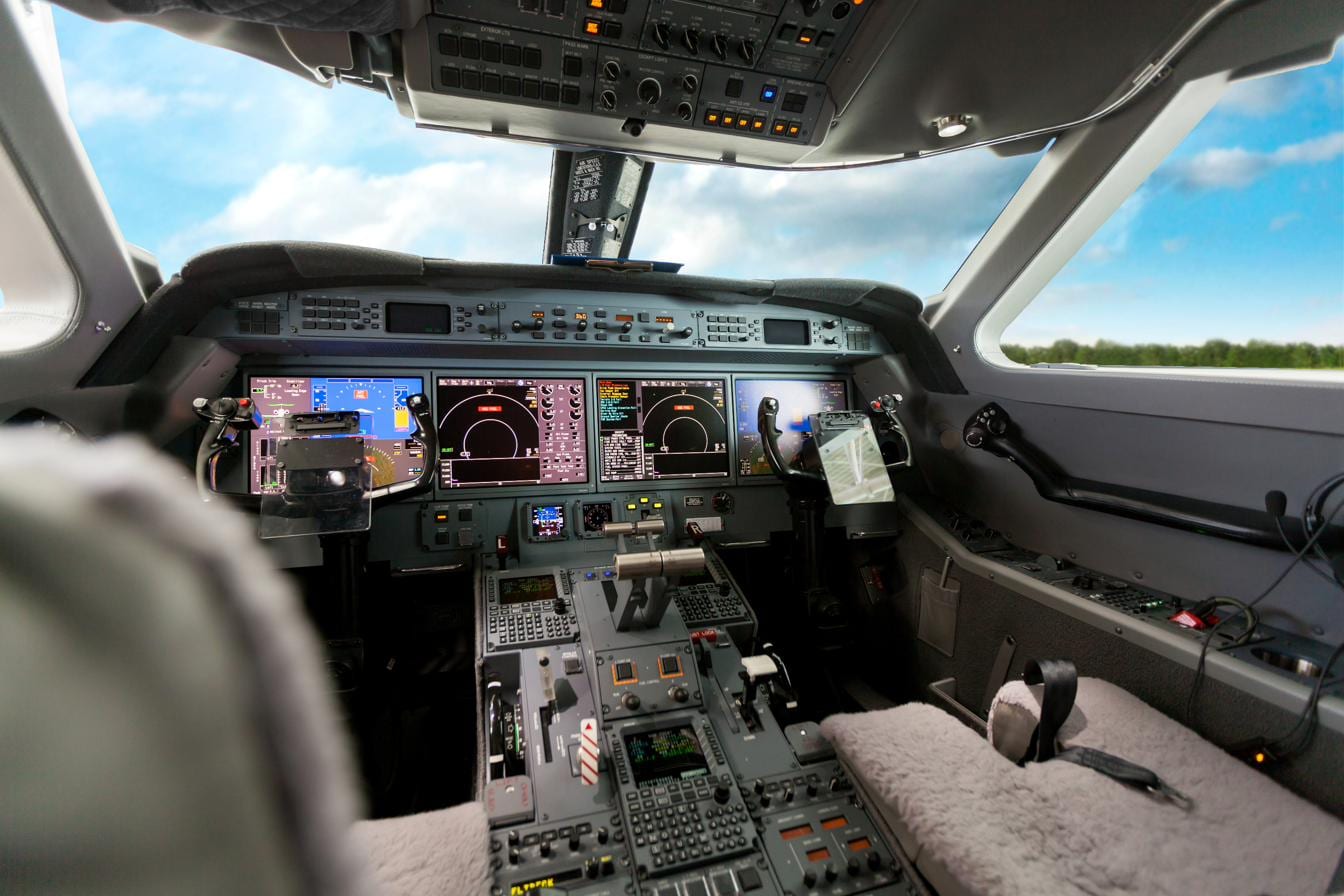
SCOTT IPC® iPadOS APP
Scott Plot® and the ICRH®, delivered through one iPadOS app and managed through the Scott IPC Portal. Operational tools for the way crews actually fly.
FROM CLASSROOM TO COCKPIT
The Scott IPC App puts both of our flight tools on one iPad; Scott Plot, our electronic oceanic plotting system, and the ICRH, our International Cockpit Reference Handbook. Training establishes the doctrine; the app carries it into the cockpit. Same workflow, same procedures, same source.
01
TRAIN IT
International Procedures Training equips crews with the core doctrine; operational checklists, critical decision-making skills, and professional discipline are all required for the demands of international flying.

02
REFERENCE IT
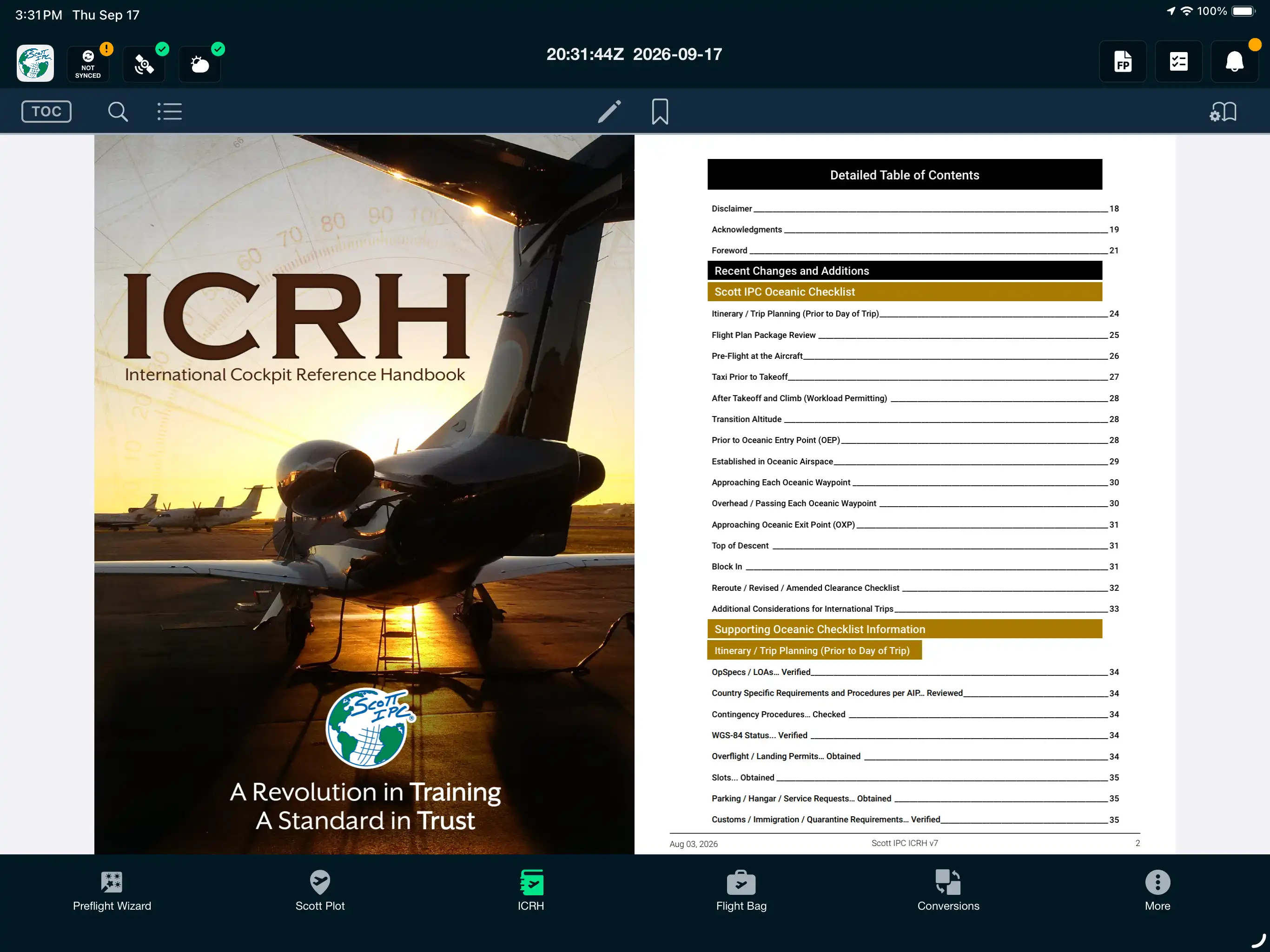
The ICRH includes current procedures, regional coverage, and Scott Notes. When the rule needs interpreting at altitude, the answer is just a few taps away.
03
FLY IT
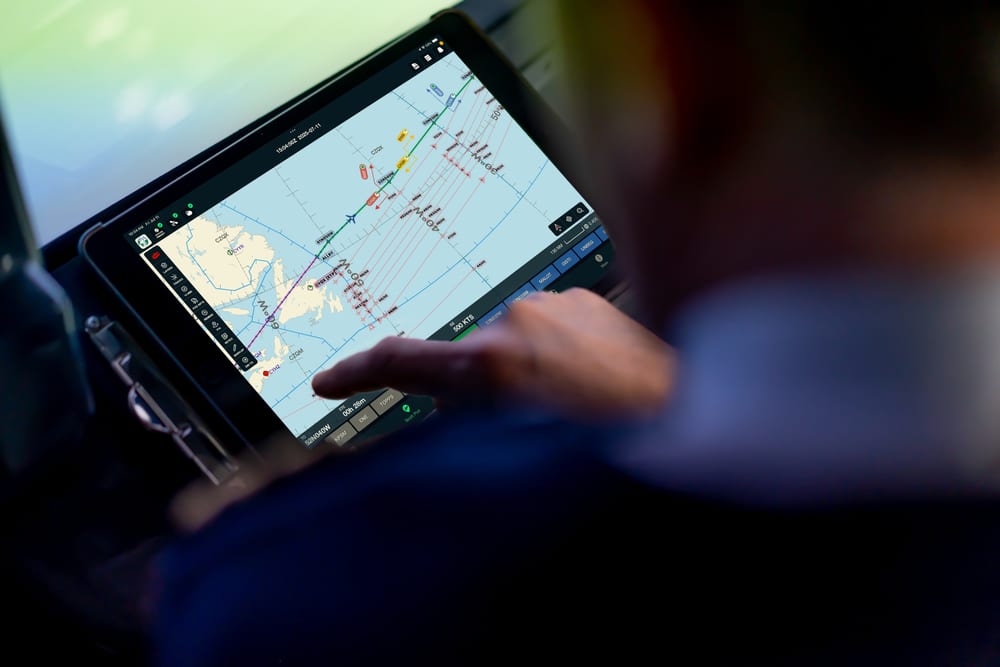
Scott Plot puts the same procedures to work in flight: oceanic flight reminders, position reports, and automatically creates a Journey Logbook. Data transfers directly between crew iPads in the cockpit, keeping both pilots in-sync on a single master document.
TWO TOOLS, ONE APP
Electronic Plotting Chart
Built by oceanic and international operations experts. Compatible with every major flight plan provider, integrated with the GPS sources crews already use, and backed by the company that teaches International Procedures.
✓
Plot routes, ETPs, and annotations to maintain situational awareness
✓
Multi-iPad sync with Primary/Secondary crew roles
✓
Automatic Journey Logbook creation for post-flight documentation
Explore Scott Plot →
International Cockpit Reference Handbook®
Authored and continuously maintained by Scott IPC instructors. Phase-of-flight checklists, regional procedures, contingencies, and the Scott Notes that clarify ambiguous regulations: current to NAT Docs, FAA Docs, and ICAO updates as they happen.
✓
Phase-of-flight checklists and regional coverage
✓
Contingency procedures
✓
Updated continuously as regulations change
Explore the ICRH →
AT THE OPERATION LEVEL
International flying comes down to situational awareness and proper procedure. The app keeps the ICRH, the Scott IPC Oceanic Checklist, Scott Plot's plotting functions and Journey Logbook creation, synced across crew iPads. Your Scott IPC Portal holds it all together in one location.
MULTI-iPAD SYNC
Annotations, route changes, position reports, and Journey Logbook data stay in sync across crew iPads throughout the flight; each crew member working from the same data.
✓
Routes, ETPs, and annotations synced across crew iPads
✓
Augmented-crew handovers preserve every data point
✓
Ability to restore-overwritten-flight-data
SCOTT IPC PORTAL
Chief Pilots or managers run the operation from the Scott IPC Portal; distributing checklists, assigning reference materials, managing pilot rosters, and pushing updates without touching individual devices.
✓
Distribute custom checklists across the flight department
✓
Lock standardized checklists where consistency matters
✓
Push important content updates fleet-wide
SUPPORT & UPDATES
The Scott IPC App is where our experienced international captains meet our experienced software engineers. Through purposeful collaboration, our electronic plotting and the International Cockpit Reference Handbook® are continually honed into flight-deck tools that complement and enhance your operation.
APP SUPPORT
Technical questions about the app: setup, sync, GPS sources, plotting - go straight to the Scott IPC app team, year-round and included with access. For airspace or procedural questions within the ICRH, training clients have a direct line to the instructors themselves throughout their training cycle.
VERSION HISTORY
The app is updated continuously as regulations and procedures change. The full release history: what changed, when, and why, all lives on the App Support page, alongside version notes, system requirements, and FAQs.
Contact us for a full demo of Scott Plot. For fleets, flight departments, and military units, talk to our team about subscriptions and bundling.